
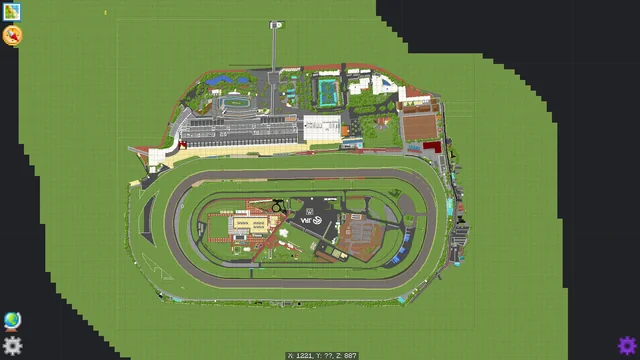
Minecraft servers have grown far beyond simple survival gameplay, thanks to the rise of mods and plugins that allow for deep customization. Among these, SpongeForge stands out as a powerful platform that bridges the gap between Forge mods and plugin functionality, enabling server administrators to manage complex systems while maintaining mod compatibility.
Despite its popularity, many users encounter challenges when attempting to combine SpongeForge with other tools, especially WorldEdit, a widely-used mod for large-scale world editing. The frustration often comes from subtle technical conflicts, configuration errors, or version mismatches that prevent the two from working seamlessly together. Understanding why these issues occur is essential for anyone looking to create a stable, modded Minecraft environment.
SpongeForge and WorldEdit
Before diving into the compatibility issues, it’s important to clarify what these two mods do and how they function in a modded Minecraft environment.
SpongeForge
SpongeForge is a powerful modding platform that allows Minecraft servers to run plugins designed for the Sponge API while remaining compatible with Forge mods. Essentially, it serves as a bridge between Forge-based mods and a plugin ecosystem, enabling enhanced server customization and management. SpongeForge supports a wide array of server optimizations, including anti-cheat mechanisms, administrative controls, and custom gameplay features.
WorldEdit
WorldEdit is a world manipulation tool used widely by Minecraft players and server admins. Its functionality includes mass block placement, removal, and modifications, allowing for rapid construction and editing of game worlds. WorldEdit is often considered essential for large-scale projects, as it saves countless hours of manual work and supports a variety of complex operations, from generating terrains to creating custom structures.
Why Combining Them Matters
While both tools are powerful individually, running them together is a common practice for server administrators seeking the combined benefits of modded gameplay and advanced world editing capabilities. The goal is to leverage SpongeForge for server management and plugin support while using WorldEdit for rapid construction and in-game customization. However, integrating these two tools is not always straightforward, leading to errors, crashes, or functionality loss.
Core Reasons SpongeForge and WorldEdit Fail to Work Together
The primary causes behind the incompatibility issues stem from technical conflicts, version mismatches, and configuration problems. Understanding these core reasons helps in troubleshooting and resolving the issues efficiently.
Version Mismatches
One of the most common reasons for SpongeForge and WorldEdit not to work together is version incompatibility. Both SpongeForge and WorldEdit are actively updated to support the latest versions of Minecraft, Forge, and Java. Running mismatched versions can lead to errors such as plugin load failures, server crashes, or commands not being recognized.
For example, SpongeForge for Minecraft 1.16 might not be compatible with a WorldEdit build designed for 1.17. Even minor differences in Forge versions can trigger conflicts, as both mods rely on the underlying game engine for their operations. This version mismatch is often overlooked by server admins, leading to frustration and wasted troubleshooting efforts.
Conflicting APIs
SpongeForge and WorldEdit utilize different APIs for interacting with Minecraft’s core engine. SpongeForge operates on the Sponge API, while WorldEdit typically runs on Bukkit, Forge, or standalone APIs, depending on the build. These differing frameworks can create conflicts when both try to access the same game resources simultaneously. Such conflicts often manifest as errors when performing block edits or running commands, or in severe cases, the server may refuse to start entirely.
Permission System Conflicts
SpongeForge and WorldEdit implement their own permission systems to control access to commands and operations. SpongeForge relies on permission plugins such as LuckPerms or Nucleus, whereas WorldEdit uses its internal permission checks. If these systems are not properly synchronized, WorldEdit commands may fail or produce unexpected results. For instance, a user with full WorldEdit privileges may find that SpongeForge restricts certain actions due to its own permission hierarchy.
Missing Dependencies
Both SpongeForge and WorldEdit require additional libraries or supporting mods to function correctly. For WorldEdit, this might include WorldGuard or specific Forge hooks. SpongeForge, on the other hand, requires a compatible Forge installation and may need specific Sponge plugins for full functionality. Failure to install these dependencies correctly often results in missing commands, partial functionality, or server crashes.
Java Version Incompatibility
Minecraft mods are highly sensitive to Java versions. SpongeForge and WorldEdit may be compiled with different Java versions in mind, and running an incompatible version can cause unexpected behavior. For example, using Java 17 for a server setup designed for Java 8 could result in runtime errors or plugin failures. Ensuring a consistent Java environment across all mods is essential for stable operation.
Common Error Scenarios and Their Implications
When SpongeForge and WorldEdit fail to work together, server administrators encounter a range of issues. Identifying these scenarios can help narrow down the root cause quickly.
Server Fails to Start
This is the most severe error scenario. If SpongeForge and WorldEdit are incompatible or improperly configured, the server may crash during startup, often showing errors related to missing classes or failed plugin initialization. In many cases, the server log will indicate a version mismatch or an unhandled exception in one of the mods.
Commands Not Executing
A subtler but equally frustrating issue is when WorldEdit commands appear to execute but produce no effect. This is often tied to permission conflicts, API incompatibilities, or event-handling conflicts between SpongeForge and WorldEdit. Users may experience partial command functionality or delayed responses, undermining server efficiency.
Performance Issues
Even when the server runs, conflicts between SpongeForge and WorldEdit can lead to performance degradation. Large WorldEdit operations may lag or fail, especially if SpongeForge is handling multiple plugin hooks simultaneously. This can result in block placement delays, chunk loading errors, or intermittent freezes during intensive server activities.
Plugin Load Errors
Sometimes, WorldEdit may fail to load entirely under SpongeForge, generating console warnings about missing dependencies or unsupported APIs. This scenario usually arises when the wrong WorldEdit version is installed or when SpongeForge plugins interfere with the mod’s initialization sequence.
Detailed Troubleshooting Strategies
Resolving conflicts between SpongeForge and WorldEdit requires a systematic approach. The following strategies are recommended for server administrators and mod developers.
Ensure Version Compatibility
The first step is to verify that the installed versions of SpongeForge, WorldEdit, and Minecraft are fully compatible. Carefully check the release notes of both mods to confirm supported versions. Ideally, use versions that are explicitly listed as compatible with each other, rather than relying on trial and error.
Align Java Versions
Confirm that the server runs a Java version compatible with both mods. If SpongeForge requires Java 8 and WorldEdit supports Java 17, select the lower common version to ensure stability. Avoid switching Java versions arbitrarily, as this is a common source of runtime errors.
Check Permissions and Configuration Files
Review SpongeForge and WorldEdit configuration files to ensure there are no conflicting permission settings. Synchronizing permissions across plugins can prevent command failures. This may involve explicitly granting WorldEdit commands within SpongeForge’s permission management system or adjusting WorldEdit’s internal config to match server roles.
Install All Required Dependencies
Double-check that all required libraries, mods, or plugins are installed. For WorldEdit, ensure that any additional dependencies, such as WorldGuard, are present and compatible with the Minecraft version in use. For SpongeForge, confirm that the core Sponge plugins are installed and functional.
Use a Clean Server Environment
Conflicts are often exacerbated by leftover files from previous installations or experimental mod setups. Start with a fresh server environment, install SpongeForge first, followed by WorldEdit, and test functionality before adding additional mods. This approach isolates potential conflicts and simplifies troubleshooting.
Consult Logs for Error Patterns
Server logs are a valuable diagnostic tool. Look for recurring error messages related to class loading, API mismatches, or permission denials. These messages often provide a direct clue about what is preventing SpongeForge and WorldEdit from working together.
Test with Minimal Plugins
If issues persist, remove all non-essential plugins and mods, leaving only SpongeForge and WorldEdit. Test command execution, block manipulation, and server stability. Once the minimal setup works, reintroduce additional mods one by one to identify the conflicting component.
Advanced Considerations
Beyond basic troubleshooting, several advanced factors can impact compatibility between SpongeForge and WorldEdit.
API Hooks and Event Conflicts
Both SpongeForge and WorldEdit hook into Minecraft’s event system to manage interactions with the game world. If both mods attempt to handle the same event differently, conflicts arise. Advanced users may need to modify event priorities or adjust configuration files to resolve these conflicts.
Custom Builds and Forks
Some server administrators use custom builds of WorldEdit or SpongeForge for additional features. While this can enhance functionality, it often introduces compatibility issues. Always test custom builds in isolation before deploying them on a live server.
Mod Loader Differences
Although SpongeForge bridges Forge mods with plugins, subtle differences in how Forge loads mods versus how Sponge loads plugins can affect interoperability. Understanding these loader behaviors is critical for resolving deep-seated conflicts, particularly on servers with complex mod setups.
Community Resources and Developer Feedback
When all else fails, consulting the developer community can provide solutions for niche issues. Both SpongeForge and WorldEdit have active forums where users share compatibility tips, patches, and workarounds. Engaging with these communities can uncover solutions not documented in official release notes.
Conclusion
The inability of SpongeForge and WorldEdit to work together often stems from a combination of version mismatches, API conflicts, permission issues, missing dependencies, and Java incompatibilities. While these problems can be frustrating, a systematic approach to troubleshooting—verifying versions, synchronizing permissions, managing dependencies, and testing in a clean environment—can restore full functionality. Understanding the technical underpinnings of both mods empowers server administrators to anticipate potential conflicts, optimize server performance, and maintain a smooth, modded Minecraft experience.